Why DAM Migrations Take Longer Than You Think (And How to Plan for Reality)
Vendors promise 6-8 weeks. Reality? More like 3-6 months. Here's where the time actually goes, and why taking longer gets you a better result.
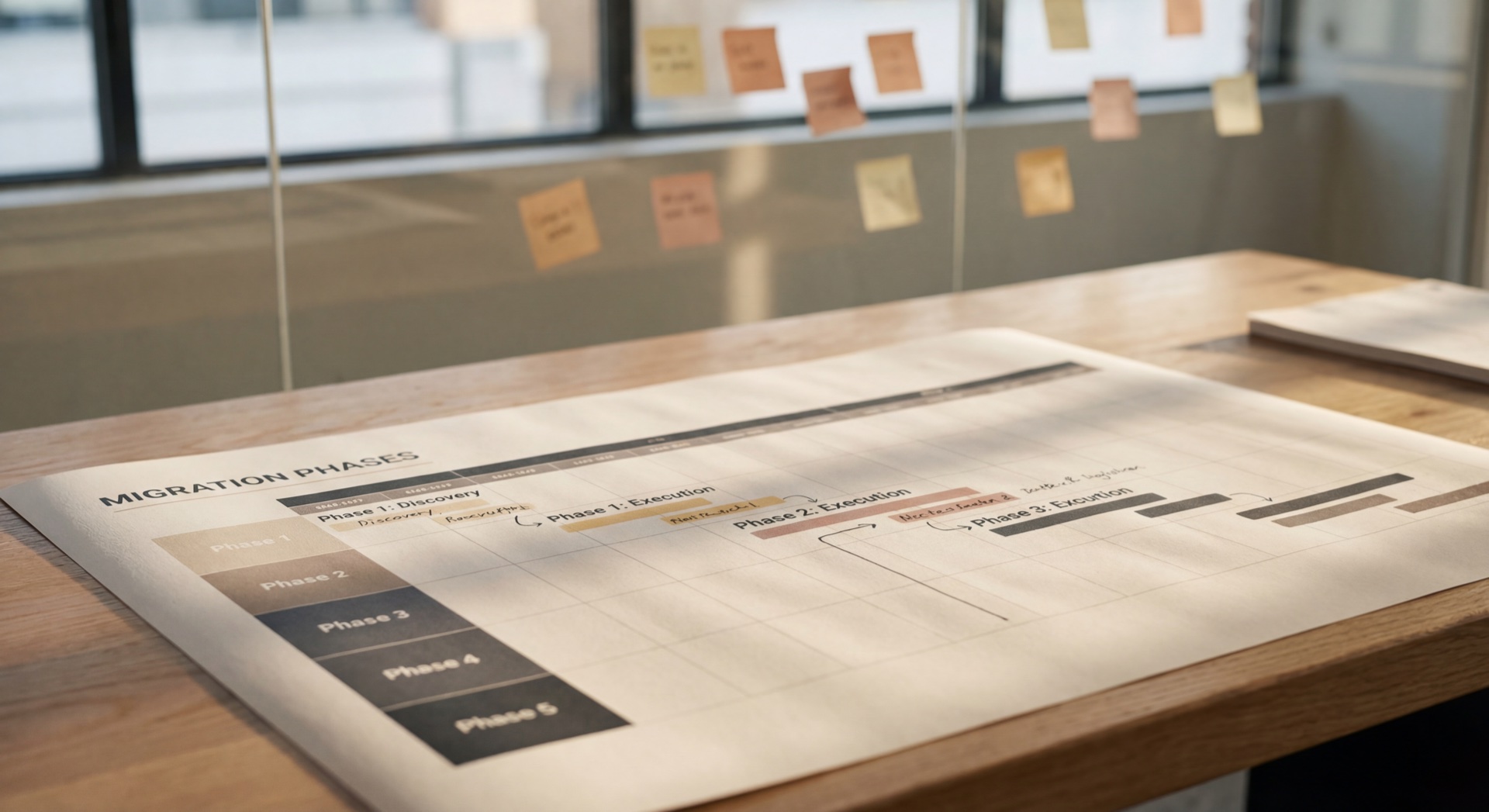
The vendor demo went great. Clean interface, powerful features, and (best of all) a promised migration timeline of just 6-8 weeks. Your exec team is excited. You sign the contract.
Fast forward 4 months: You're still cleaning up duplicate files, debating taxonomy structures in endless meetings, and explaining to leadership why the launch date keeps getting pushed back.
Sound familiar?
Here's what really happens during DAM migrations, and why the honest answer is usually "3-6 months minimum" instead of "6-8 weeks."
The Pitch vs. The Reality
When vendors talk about "6-8 weeks," they're usually talking about the technical migration: uploading files, configuring user permissions, setting up basic workflows. And honestly? They're right. The actual file transfer can happen quickly. Days to weeks, not months.
The problem is that the technical migration is maybe 30% of the total work.
The other 70%? That's the hidden work nobody talks about upfront: asset auditing, cleanup, taxonomy design, workflow mapping, and user training. These are the stages that determine whether your new DAM becomes a powerful operational system or just a slightly shinier filing cabinet.
For a small-to-mid-sized creative team, a realistic timeline is 3-6 months. For enterprise organizations with multiple departments and complex permissions? Plan on 6-12 months.
The gap between vendor promises and reality isn't malicious. It's definitional. So let's talk about where all that time actually goes.
What Eats Time: The 5 Hidden Stages
Stage 1: Asset Auditing (2-4 Weeks)
You think you have 5,000 assets to migrate. Then you start looking.
Turns out you have 12,000 files spread across 47 drives and shared folders, with duplicates everywhere (logo-v2-FINAL.png, logo-v2-FINAL-FINAL.png, logo-v2-USE-THIS-ONE.png) and cryptic names like IMG_3847.jpg.
As Frontify's DAM checklist warns: "Auditing existing assets often reveals duplicate files, outdated content, and hidden collections."
This is the stage where you make a critical decision: What do you actually migrate?
Migrating everything is tempting. It feels comprehensive, complete. But bringing chaos forward into a new system just means you'll have a more expensive place to store your mess. The clean start requires making hard choices about what's worth keeping.
Stage 2: Cleanup & Prioritization (3-6 Weeks)
Once you know what you have, the real work begins: deciding what stays.
This isn't just deleting obvious junk. It's identifying which of those three "final" logo versions is actually final. It's renaming files to follow consistent naming conventions. It's tracking down the designer who made campaign-asset-final.mp4 two years ago to figure out what campaign it was even for.
You'll also need to gather missing metadata. Who made this? When? For what campaign? Is it approved? Are there any usage restrictions?
As Frontify recommends: "Plan and prioritize your DAM migration to leave duplicate, outdated, or unneeded files behind."
This stage feels tedious, but it's where the value gets unlocked. A clean migration means your team can actually find things later. A messy migration means you've just moved the problem to a nicer-looking system.
Stage 3: Taxonomy Design (2-4 Weeks)
Here's where things get political.
How should assets be organized? By department? By campaign? By asset type? All three?
Marketing wants assets organized by campaign because that's how they think about the work. The creative team wants them organized by asset type (videos, images, documents) because that's how they produce. Brand wants them organized by sub-brand. IT just wants a hierarchy that doesn't break when someone uploads 10,000 files at once.
Everyone has strong opinions, and these stakeholders have never agreed on anything before.
The decisions you make here affect findability for years. Choose the wrong structure and six months later, nobody can find anything.
According to Frontify's implementation guide: "Document the end-to-end lifecycle for each asset type."
This isn't just about folders. It's about understanding how assets are created, used, updated, and eventually retired. That understanding becomes the blueprint for your taxonomy.
Stage 4: Workflow Mapping (2-3 Weeks)
A DAM isn't just storage. It's workflow enforcement.
Who uploads assets? Who approves them? Who can download the original high-res files versus web-resolution previews? What happens when someone needs an exception to the normal workflow? How do you track which campaigns used which assets?
These questions force you to document processes that have been running on autopilot (or chaos) for years.
The value here is that documenting workflows exposes inefficiencies. You might discover that your current approval process has five unnecessary steps, or that three different people are doing the same QA check. Migration is the perfect time to fix these things, but only if you take the time to map them out first.
Stage 5: User Training & Adoption (4-6 Weeks Minimum)
The system goes live. Then people keep emailing files "just this once," saving to desktops as backup, and using the old server folders because "I know where everything is."
Real adoption takes coaching, reminders, and making the new system easier than old workarounds.
Frontify's migration guide recommends: "A more gradual migration and rollout will make the switchover feel less daunting."
Phased rollouts (one team or department at a time) give you the chance to work through the rough edges before everyone is onboarded. You get real-world feedback, fix issues, and build internal champions who can help evangelize the system to the next team.
The ROI of Going Slow
At this point, you might be thinking: "So migrations just… take forever?"
No. They take the right amount of time. And here's the thing: the time you invest upfront pays dividends for years.
What you gain by taking the time:
- Clean taxonomy (findable assets, not just uploaded)
- Team buy-in (they designed it, so they use it)
- Documented workflows (not assumed processes)
- Real training (how to use it, not just that it exists)
What you risk by rushing:
- Chaos migrates (bad structure moves to new system)
- Poor adoption (people revert to old workflows)
- Rework within 6 months (rebuild taxonomy, re-clean, re-train)
As one industry analysis put it: "The operational challenge isn't just to move quickly, but to move strategically."
Red Flags to Watch For
Not all vendors promise unrealistic timelines, but some do. Here are promises that should make you ask follow-up questions:
- "We'll have you live in 6 weeks" (without asking about your current state)
- "Migration is fully automated" (ignores all the human decisions required)
- "Just upload everything and we'll sort it later" (recipe for chaos)
Better vendor responses sound like this:
- "Let's start with an audit of your current assets"
- "Who will own taxonomy design on your end?"
- "We recommend a phased rollout over 3-4 months"
Honest scoping wins. Vendors who tell you realistic timelines upfront earn trust, and set you up for success.
How We Approach DAM Migrations at Starbright
At Starbright Lab, we've learned that taking the time upfront saves massive headaches later. Here's our typical timeline for a mid-sized team:
-
Discovery & Audit: 3-4 weeks
Map your current state: what you have, where it lives, who uses it. -
Taxonomy Design: 2-3 weeks
Collaborative workshops to design a structure that matches how your team works. -
Pilot Migration: 1-2 weeks
One team or department first. Catches issues before full rollout. -
Full Migration: 4-6 weeks
Phased rollout by team. Supports adoption at each stage. -
Training & Adoption Support: Ongoing (first 2-3 months)
Training happens in context as teams onboard.
Total timeline: 3-5 months from kickoff to full adoption.
We use Frontify for brand and creative assets, and integrate it with tools like Librainian for AI-assisted metadata (which speeds up tagging without sacrificing accuracy). Custom integrations connect the DAM to your project management and review tools so data flows seamlessly through your workflow.
The feedback we hear most often? "Taking the time upfront saved us from rebuilding six months later."
Questions to Ask Before You Start
Before you kick off, answer these questions:
For your vendor:
- [ ] What's included in your timeline estimate?
- [ ] Who handles asset auditing and cleanup?
- [ ] Do you provide taxonomy consulting, or just technical setup?
- [ ] What does "launch" mean? (technical vs. full adoption)
- [ ] What happens if we need more time?
For your team:
- [ ] Who will lead this internally?
- [ ] Do we have budget for cleanup work?
- [ ] Can we commit to phased rollout?
- [ ] How will we measure success?
The Honest Timeline Wins
Here's the bottom line: DAM migrations take longer than vendors promise, and that's okay.
The work that eats time (auditing, taxonomy, training) makes migrations successful. You're building an operational foundation for how your team works for the next five years, not just file storage.
Better to budget 4-6 months and launch clean than rush in 6 weeks and firefight problems all year.
If you're planning a DAM migration, start with an honest asset audit. Understand what you have before you decide where it should go. And if you need help scoping realistic timelines or designing taxonomy that actually works? Let's talk.
Keep moving forward, but take the time to do it right. 🤖
Carl
Technical insights and thought leadership on Creative Operations, DAM migrations, and AI-powered metadata management from Starbright Lab.